A free public IPTV playlist can be a useful way to watch channels that broadcasters publish openly, such as public broadcasters, local stations and free ad-supported channels. But not every list labelled "public" or "free" is what it claims. Some contain unauthorised streams, some are full of dead links and some come wrapped in websites that push unwanted software.
This guide shows you how to check a playlist before relying on it: where it came from, what is inside it and whether it actually works. For background on what public playlists are, see our public IPTV playlist guide.
Step 1: check the source
| Source | Trust level |
|---|---|
| Official broadcaster pages | High |
| Established open-source projects with public history | Generally good |
| Personal blogs and forums | Variable; check carefully |
| Video descriptions and chat groups | Low |
| Sites requiring downloads or payment | Avoid |
Established projects such as iptv-org publish their lists openly with a visible history of changes. Our practical iptv org guide explains how to use them.
Step 2: inspect the file safely
An M3U playlist is a plain text file. You can open it in a text editor to see what it contains without running anything.
Look for:
- Channel names that match broadcasters publishing openly.
- Stream addresses on broadcaster or well-known delivery domains.
- Group titles that make sense, such as news, music or a country.
Warning signs:
- Many premium subscription channels in a "free" list.
- Addresses that look random or change frequently.
- Instructions to install a specific app to "unlock" the list.
A playlist file cannot install anything by itself, but the websites and apps around it can.
Step 3: test on a computer first
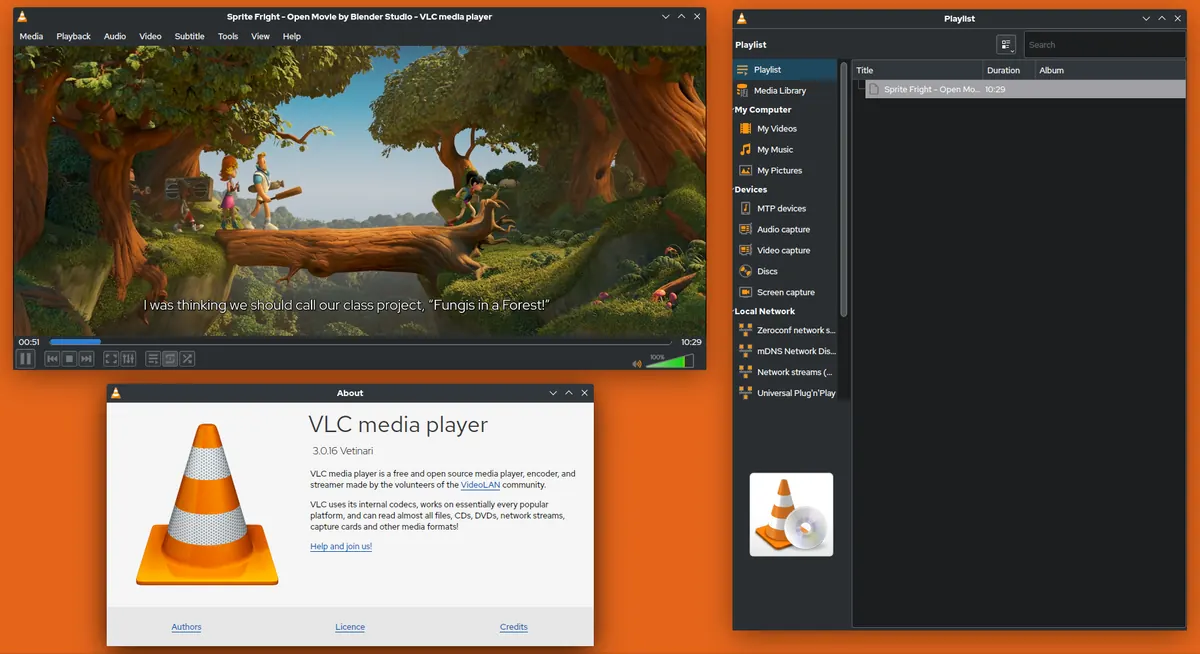
VLC on a computer is a quick, safe way to test:
- Open VLC and choose Open Network Stream, or open the M3U file.
- Open the playlist view to see all channels.
- Play a sample of channels you care about.
- Note which ones work from your location.
Testing on a computer avoids slowing down your TV with a large list of dead links.
Step 4: remove dead and unwanted channels
Public streams change often. Clean the list:
- Delete channels that never play.
- Delete channels you will not watch.
- Save a new, shorter playlist in VLC or a text editor.
A short list loads faster and is easier to use with a remote.
Step 5: load it on your TV
Add the cleaned playlist to a TV player that supports M3U files or links. Many players let you load a local file or a link. Mark your favourite channels for quick access.
Step 6: keep it up to date
Retest every few months. Replace dead channels with updated links from the original trusted source. If a source stops being maintained, look for another established project.
Reading a playlist entry
Each channel in an M3U file usually takes two lines. The first starts with #EXTINF and holds the channel name, plus optional details such as a logo address, a guide ID and a group title. The second line is the stream address itself. Knowing this makes it easy to edit a list by hand: delete both lines to remove a channel, or change the group title to reorganise categories. Save the file with the .m3u extension and UTF-8 encoding so accented channel names display correctly.
Geo-blocking and availability
Many public channels are available only in their own country. If a channel will not play, it may be geo-blocked from your location. Respect these restrictions; broadcasters set them under their licences.
The legal side
Openly published broadcaster streams are generally legitimate to watch. Lists containing premium subscription channels for free are a different matter and can carry legal and security risks. Laws vary by country; this is general information, not legal advice.
Adding a guide to public channels
Some public playlists include guide IDs that match freely available XMLTV guide data. If your player supports an EPG link, add the guide recommended by the playlist's source and check whether listings appear. Expect gaps: many public channels have no schedule data, and that is normal.
Common mistakes
- Loading an untested list of thousands of channels on a TV.
- Trusting lists posted in chat groups.
- Installing apps that a playlist website says you need.
- Never cleaning out dead channels.
A worked example
A viewer finds a free public IPTV playlist on a forum. They open it in a text editor and see several premium sports channels listed, so they discard it. They download a country playlist from an established open-source project instead, test it in VLC, keep twelve working news and music channels and load the cleaned list on their TV.
Checklist
- Choose a trusted source.
- Inspect the file in a text editor.
- Test in VLC on a computer.
- Remove dead and unwanted channels.
- Load the clean list on your TV and retest regularly.
Key terms
- M3U: a text playlist format listing channel names and stream addresses.
- Group title: a label that organises channels into categories.
- Geo-blocking: restricting streams to certain countries.
Sharing a cleaned free public IPTV playlist at home
Once you have a clean list, you can copy the file to other devices in your home or host it on a home media server so every TV uses the same channels. Keep the original source noted at the top of the file so you know where to find updates, and see our iptv-org guide for one well-known source.
Frequently asked questions
How do I know a free public IPTV playlist is legitimate?
It comes from a trusted source and lists channels that broadcasters publish openly, not premium subscription channels.
Can opening a playlist harm my computer?
A playlist is plain text, but websites and apps around it can be harmful. Open it in a text editor first.
Why do so many channels not work?
Streams move, go offline or are geo-blocked from your location.
How often should I update my list?
Every few months, or when several channels stop working.
Which app is best for testing playlists?
VLC on a computer is a simple, free option.
Summary
Before relying on a free public IPTV playlist, check its source, inspect it in a text editor, test it in VLC, remove dead channels and retest regularly. Keep to openly published channels and avoid lists offering premium channels for free.