Many people have run a Dreambox IPTV setup for years: a Linux receiver that handles satellite, recordings and some internet streams. Eventually the box starts to show its age. Modern streams use codecs it cannot decode, menus feel slow and software updates stop. Moving to a modern setup does not have to mean losing everything.
This guide walks through the move step by step: saving recordings and channel lists, choosing a modern device and deciding whether to keep satellite. For how IPTV works on Enigma2 receivers today, see our IPTV Dreambox guide. Monster IPTV is not affiliated with Dream Multimedia or any receiver brand.
Signs it's time to move
| Sign | What it means |
|---|---|
| HEVC or 4K streams won't play | The hardware lacks modern codec support |
| No software updates | Security and compatibility gaps |
| Slow menus and crashes | Old processor and memory |
| Family avoids using it | Usability matters as much as features |
| Hard drive failing | Recordings are at risk |
Step 1: Take stock of what you use
List what the Dreambox does for you today:
- Satellite or cable channels.
- IPTV streams through bouquets or plugins.
- Recordings and timers.
- Network storage for media.
- Remote access or streaming to other devices.
This list decides what the new setup must do.
Step 2: Save your recordings
Recordings are usually stored as transport stream files on an internal drive, USB drive or network storage.
- Connect to the box's storage over the network using its file-sharing feature, or remove the drive if appropriate.
- Copy the recordings you want to keep to a computer or network storage.
- Check that the files play in a media player such as VLC.
- Keep the copies in at least two places.
Recordings may only be for personal use; respect any restrictions on the original broadcasts.
Step 3: Save channel lists and settings
Back up bouquets, settings and timers using your image's backup tool. Even if the new device cannot import them, the files help you recreate favourites and remember which channels you watch.
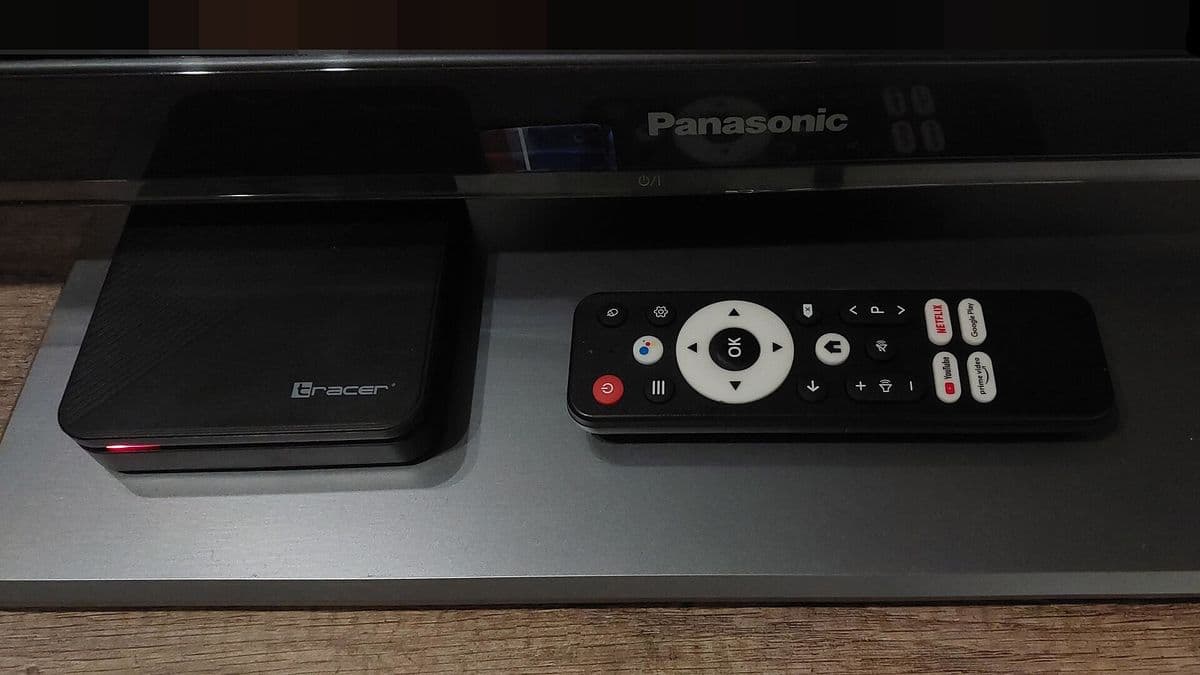
Step 4: Choose a modern device
| Need | Suggested device |
|---|---|
| Streaming apps and IPTV | Android TV or Google TV box with Ethernet |
| Apple ecosystem | Apple TV |
| Budget, simple apps | Streaming stick |
| Keep satellite with modern features | A modern satellite receiver from a mainstream brand |
| Media library playback | A streaming box with a media server app |
Look for HEVC (and ideally AV1) support, an Ethernet port, enough storage and a brand with a record of regular updates. Our TV box buying guide explains the trade-offs.
Step 5: Decide what to do with satellite
If you still watch satellite channels, you have three options:
- Keep the Dreambox for satellite only and use the new device for apps.
- Replace it with a modern satellite receiver.
- Drop satellite if the channels you watch are available legally through apps.
Many households choose option 1 for a while, then decide after a few months.
Step 6: Recreate your favourites
Set up your IPTV player on the new device, create favourites groups that mirror your old bouquets and add a programme guide source. Put the most-watched channels at the top.
Step 7: Retire the old box safely
- Wipe personal data and passwords before selling or recycling.
- Remove saved logins from plugins.
- Recycle electronics through proper collection points.
Helping the household adjust
A Dreambox often has years of habits built around it: channel numbers, timer recordings and a familiar remote. Make the switch easier by:
- Giving each person a favourites group with their usual channels.
- Writing a short guide with the main buttons on the new remote.
- Running both setups side by side for a few weeks.
- Asking for feedback after the first week and adjusting.
Replacing timer recordings
If you relied on Dreambox timers, check what the new setup offers. Some operator apps and streaming services include cloud recording or catch-up, which can replace most timers. If you need local recordings, a modern satellite receiver or a network tuner with a media server can fill the gap.
Avoid shortcuts
Don't replace the Dreambox with a "fully loaded" box promising free paid channels. These rarely hold the rights and can contain malware. This is general information, not legal advice; see is IPTV legal?.
Common mistakes
- Forgetting to copy recordings before the drive fails.
- Buying a new device without checking codec support.
- Selling the old box without wiping it.
- Recreating every old bouquet instead of the channels you actually watch.
A worked example
An owner of an older Dreambox copies five years of recordings to network storage, backs up settings and buys a Google TV box with Ethernet. They keep the Dreambox for satellite for three months, then realise they mostly watch apps and retire it after wiping it.
Checklist
- List what you use the box for.
- Copy recordings and back up settings.
- Choose a modern device with HEVC and Ethernet.
- Decide on satellite.
- Wipe and recycle the old box.
Key terms
- Transport stream: the file format many receivers use for recordings.
- Backup tool: a feature that saves settings and channel lists.
- Media server: software that streams your files to other devices.
About Monster IPTV
Monster IPTV works with third-party players on modern devices. See supported devices.
Frequently asked questions
When should I replace my Dreambox IPTV setup?
When it can't play modern codecs, no longer gets updates or the household finds it hard to use.
How do I keep my old recordings?
Copy them over the network or from the drive to a computer or network storage and check they play.
Can I keep using the Dreambox for satellite?
Yes; many keep it for satellite and use a modern device for apps.
What should a new device support?
HEVC (ideally AV1), Ethernet, enough storage and regular updates.
How do I retire the old box safely?
Wipe personal data and logins, then recycle it through a proper collection point.
Summary
Moving from a Dreambox IPTV setup is straightforward with a plan: list what you use, save recordings and settings, choose a modern device, decide on satellite and retire the old box safely.