An IPTV receiver is any device that receives TV over a network and outputs it to a screen. That covers a wide range: the set-top box from your broadband provider, a streaming stick, an Android TV box, a Linux-based IPTV box, a professional IP decoder in a hotel, or the smart TV itself. Choosing the right one depends on your service, your TV and how you like to watch.
This guide compares the main receiver types. For buying and setup details, see our IPTV box guide and IP TV box first setup.
Receiver types at a glance
| Type | Typical use | Strengths | Limitations |
|---|---|---|---|
| Operator set-top box | Broadband provider TV packages | Optimised for that service | Tied to one provider |
| Streaming stick | Home viewing on any TV | Cheap, compact, wide app choice | Limited ports and storage |
| Android TV box | Home viewing with more power | Ethernet, storage, many apps | Quality varies by brand |
| Linux-based IPTV box | Dedicated IPTV portals | Simple interface for one service | Fewer apps |
| Smart TV | No extra device | Simple setup | App choice and updates vary |
| IP decoder | Hotels, offices, venues | Receives multicast from encoders | Needs a managed network |
| Casting device | Phone-controlled viewing | Easy for occasional use | Phone stays involved |
Choosing for home use
- Check your service's supported devices.
- Check app availability on the platform you are considering.
- Prefer Ethernet for the main TV; sticks may need an adapter.
- Look for HEVC support and enough memory for large playlists.
- Consider update support; mainstream platforms usually update longer.
Operator boxes
If your broadband provider supplies a TV package, its box is designed for that service and often supports recording and on-demand content. It usually cannot run other providers' services, though many operators also offer apps for other devices.
Streaming sticks and Android TV boxes
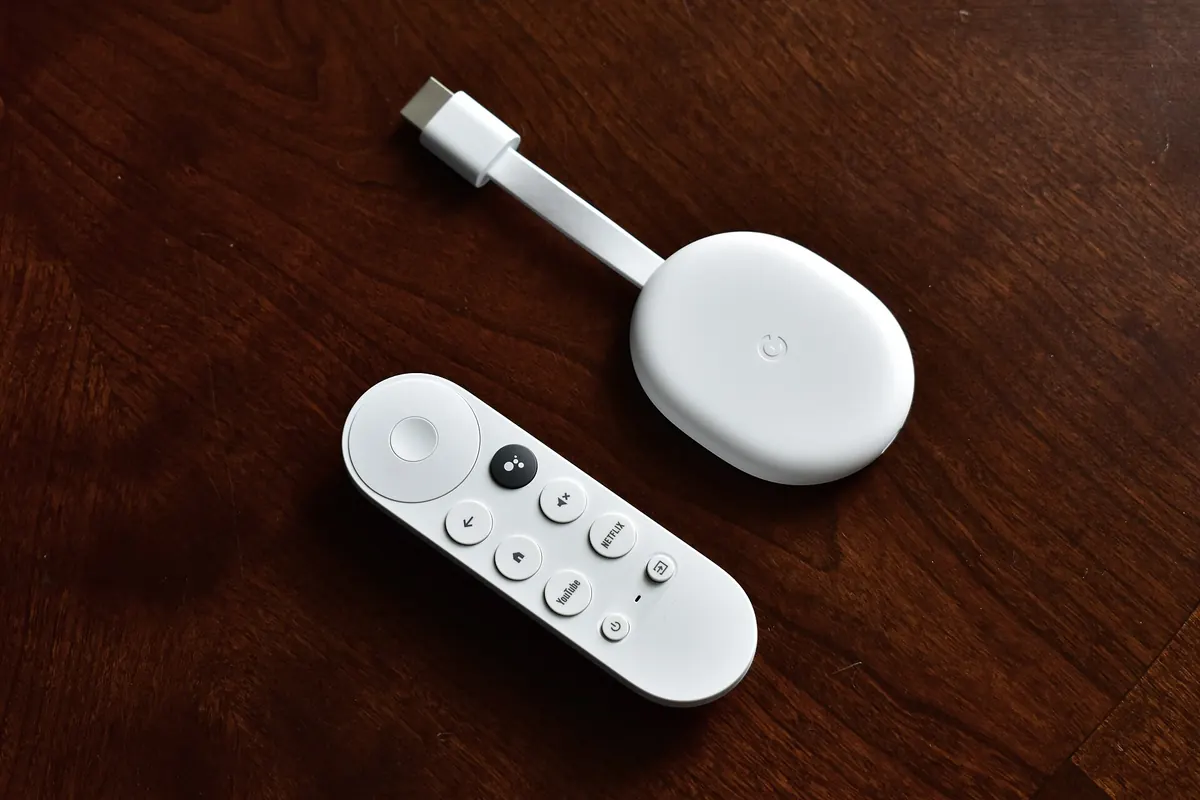
These give the widest choice of apps and players. Sticks are compact and inexpensive; boxes often add Ethernet ports, more storage and faster processors. Avoid "fully loaded" boxes sold with unofficial apps.
Linux-based IPTV boxes
Some dedicated boxes connect to IPTV portals rather than running app stores. They offer a simple TV-like experience for compatible services but limited flexibility.
Professional IP decoders
In hotels, hospitals and offices, small decoders behind each TV receive multicast channels from encoders. Our multicast IPTV encoder guide explains the network side, and our VeCASTER hotel IPTV planning guide covers full systems.
Smart TVs as receivers
Modern smart TVs run apps directly. They work well when your preferred apps are available and the TV receives updates. Older TVs may slow down; a stick or box refreshes them cheaply.
Remote controls and voice
Receivers differ in their remotes. Many streaming sticks and boxes include voice search, which makes finding channels and programmes quicker. HDMI-CEC lets one remote control the TV and receiver together. Operator boxes often have remotes with dedicated TV buttons such as guide and record.
Recording options
Operator boxes may include recording to a built-in drive or the cloud. Streaming sticks rely on app features and service-side cloud recording. Android TV boxes can sometimes record to USB storage, depending on the player and service terms.
Power and placement
Place receivers where they get airflow, not squeezed behind the TV. Sticks plugged directly into HDMI ports can overheat; a short HDMI extension cable improves airflow and Wi-Fi reception. Use the supplied power adapter rather than a TV USB port if the receiver needs more power.
Several TVs in the home
Mixing receiver types is fine, but using the same platform on each TV simplifies support and keeps the experience consistent. Each receiver playing at the same time counts toward your service's device limit.
Common mistakes
- Buying a receiver without checking app availability.
- Choosing Wi-Fi-only devices for a TV far from the router.
- Buying preloaded boxes from unofficial sellers.
- Assuming an operator box can run any service.
A worked example
A household with an older smart TV and a separate IPTV subscription compares receivers. The TV's store lacks their preferred player, so they choose an Android TV box with Ethernet and HEVC support, install the player from the official store and keep the TV's own apps for broadcaster catch-up.
Checklist
- Match the receiver to your service.
- Confirm app availability.
- Prefer Ethernet and HEVC support.
- Avoid preloaded unofficial boxes.
- Consider update support.
Key terms
- Set-top box: a receiver connected to the TV.
- IP decoder: a device converting network video to HDMI.
- Portal: a server-side interface some boxes connect to.
Monster IPTV and receivers
Monster IPTV works with many receiver types through third-party players, including sticks, Android TV boxes, smart TVs and computers. See the supported devices page.
Budget considerations
Streaming sticks are the most affordable way to add apps to a TV. Android TV boxes cost a little more but add Ethernet and storage. Operator boxes may carry rental fees. Professional decoders are priced for business installations. Choose the simplest receiver that meets your needs, and spend the savings on a good network connection, which often matters more for picture quality than the receiver itself.
Testing a new receiver
Before relying on a new IPTV receiver, run it for a few evenings with your service, including a live event. Check start times, guide loading and smoothness on sport.
Frequently asked questions
What is an IPTV receiver?
Any device that receives TV over a network and outputs it to a screen.
Which IPTV receiver is best for home use?
Often a streaming stick or Android TV box with Ethernet and wide app support.
Can I use my provider's box with another service?
Usually not; operator boxes are designed for their own service.
Which receivers suit hotels and offices?
IP decoders or commercial TVs receiving multicast channels.
Are preloaded boxes a good idea?
No. Buy standard devices and install apps from official stores.
Summary
An IPTV receiver can be an operator box, a stick, an Android TV box, a Linux-based box, a smart TV, an IP decoder or a casting device. Match it to your service, check apps, prefer Ethernet and HEVC and avoid preloaded unofficial boxes.