A rack mount IPTV encoder is the backbone of many hotel, campus, hospital and venue TV systems. It takes video from sources such as set-top boxes, cameras and media players and turns it into network streams for distribution. Choosing the right model matters, and our guide to the best rack mount encoder for IPTV covers selection. This article focuses on what comes next: installing it so the system stays reliable for years.
Good installation covers rack space, power, cooling, cabling, labelling and maintenance. Mistakes in any of these cause outages that no encoder feature can fix.
Planning rack space
Rack equipment is measured in rack units (U), each 1.75 inches (44.45 mm) tall.
| Item | Typical space |
|---|---|
| Rack mount IPTV encoder | 1U to 4U, depending on channel count |
| Network switch | 1U |
| Patch panels | 1U each |
| Power distribution unit | 0U (vertical) or 1U |
| Source devices on shelves | 1U to 3U per shelf |
Leave space for growth, cable management and airflow. A rack that is full on day one becomes hard to maintain.
Power and redundancy
- Calculate the load. Add up the power draw of the encoder, switch and source devices from their datasheets.
- Use a power distribution unit (PDU) rated for the total load, ideally with monitoring.
- Add an uninterruptible power supply (UPS) sized to keep equipment running through short outages and allow a clean shutdown.
- Use redundant power supplies if the encoder offers them, connecting each to a separate circuit or PDU.
- Label every power cable at both ends.
A brief power cut that reboots the encoder can take every TV channel off air for several minutes.
Cooling and airflow
Encoders work hard and produce heat. Check the airflow direction on the datasheet, usually front to back, and install all equipment with the same orientation. Avoid mixing front-to-back and side-to-side airflow devices without baffles.
- Keep the room within the manufacturer's temperature range.
- Use blanking panels in empty rack spaces to stop hot air recirculating.
- Do not block vents with cables.
- Monitor temperature with the encoder's alarms or a separate sensor.
Input cabling
| Input | Cabling tips |
|---|---|
| HDMI | Keep runs short; use certified cables; secure connectors with locking clips where possible |
| SDI | Use 75-ohm coax rated for the signal (3G or 12G); keep within length limits |
| RF | Use quality coax and correct connectors; check signal levels |
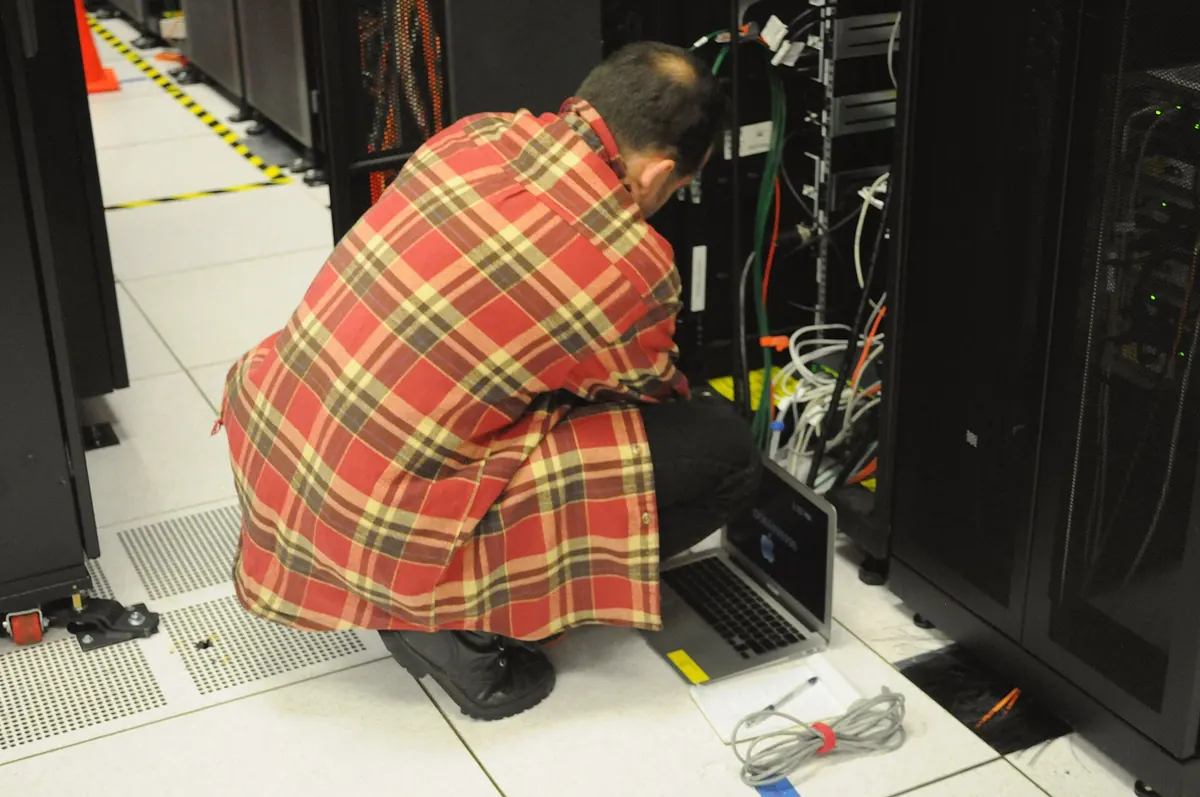
Route signal cables away from power cables to reduce interference. Leave a service loop so equipment can be pulled forward without disconnecting.
Network cabling
- Connect the encoder to a managed switch suitable for your distribution plan.
- For multicast, enable IGMP snooping and a querier on the network.
- Use a separate management port or VLAN if the encoder supports it.
- Document IP addresses, multicast groups and port assignments.
Labelling and documentation
A well-labelled rack saves hours during faults. Label:
- Every cable at both ends.
- Each encoder input with its source and channel name.
- Each multicast address or stream name.
- Power cables with their PDU and circuit.
Keep a simple document or spreadsheet with this information and update it whenever something changes.
Commissioning
Before handing over the system:
- Test each channel on several displays in different locations.
- Check audio levels and lip-sync.
- Simulate a power cut and confirm the UPS and restart behaviour.
- Pull an input cable and confirm the alarm works.
- Record firmware versions and configuration backups.
Maintenance
- Back up encoder configurations after any change.
- Review firmware release notes and update during quiet hours.
- Clean dust filters and check fans regularly.
- Check UPS batteries according to the manufacturer's schedule.
Remote access and security
Many encoders offer web interfaces for remote management. Keep them on a separate management network or VLAN, change default passwords, disable services you do not use and restrict access to the people who maintain the system. Never expose an encoder's management page directly to the internet.
Licensing and content rights
Distributing broadcast channels to guests or the public usually requires appropriate licences. Check your obligations with content owners or a qualified adviser. This is general information, not legal advice.
Common mistakes
- Filling the rack completely with no space for airflow or growth.
- Plugging redundant power supplies into the same circuit.
- Mixing airflow directions.
- Leaving cables unlabelled.
- Skipping configuration backups.
A worked example
A university installs a 2U rack mount IPTV encoder with 16 HDMI inputs. The team places it mid-rack with blanking panels above and below, connects its dual power supplies to two PDUs on separate circuits behind a UPS, labels every input with its channel name and documents each multicast group. During commissioning they pull the main power and confirm that channels stay on air.
Checklist
- Plan rack space with room for growth.
- Provide UPS and redundant power.
- Match airflow and add blanking panels.
- Route and label all cables.
- Commission and back up configurations.
Key terms
- Rack unit (U): a standard height of 1.75 inches.
- PDU: a power strip designed for racks.
- UPS: a battery unit that keeps equipment running through outages.
- Blanking panel: a cover for empty rack space that improves airflow.
Frequently asked questions
How much rack space does an IPTV encoder need?
Usually 1U to 4U, depending on channel count. Leave extra space for airflow and growth.
Do I need a UPS for a rack mount IPTV encoder?
It is strongly recommended. A short power cut can otherwise take all channels off air.
Which way should air flow in the rack?
Follow the datasheet, usually front to back, and keep all equipment the same.
Why use redundant power supplies?
If one supply or circuit fails, the other keeps the encoder running.
How often should I back up the configuration?
After every change, and keep copies off the device.
Summary
A rack mount IPTV encoder needs careful installation to be reliable. Plan rack space, provide UPS and redundant power, manage airflow, route and label cables, commission thoroughly and back up configurations. Those steps prevent most outages in hotel, campus and venue TV systems. See our IPTV headend guide for how the encoder fits into the wider system.