If you searched for in 3u iptv, you were very likely looking for "m3u iptv". On many keyboards and phone layouts, the letters "m" and "n" sit side by side, and autocorrect or a quick thumb can turn "m3u" into "in 3u" or "n3u". M3U is the name of the playlist format most IPTV players use to load channels.
This article explains M3U playlists simply, shows how to use them in a player, and covers a less obvious point: typo searches can lead to unreliable or risky websites, so it pays to be careful.
What M3U means
M3U is a plain-text playlist format. Each entry lists a channel's name, optional details such as its logo and group, and the address of its stream. IPTV players read the file and show the channels as a list.
| Part of an M3U entry | Purpose |
|---|---|
#EXTM3U header | Marks the file as an extended playlist |
#EXTINF line | Channel name, logo, group and guide ID |
| Stream URL | The address the player opens |
The M3U8 variant is the same format encoded in UTF-8. Our full guide to M3U IPTV explains each part in detail.
How M3U is used in IPTV
There are two common situations:
- Your provider gives you a personal M3U link that loads your subscription's channels. Keep it private; it usually contains your login details.
- Open projects publish M3U lists of publicly available channels; see our guide to public IPTV playlists.
Many providers also offer an Xtream Codes login, which loads live TV, films, series and the guide together. See our article on Xtream IPTV.
Loading an M3U playlist
- Open your IPTV player and choose the playlist or M3U option.
- Paste the link exactly as provided.
- Give the playlist a name and save.
- Add a guide (EPG) link if your provider supplied one.
- Wait for channels to load, then organise favourites.
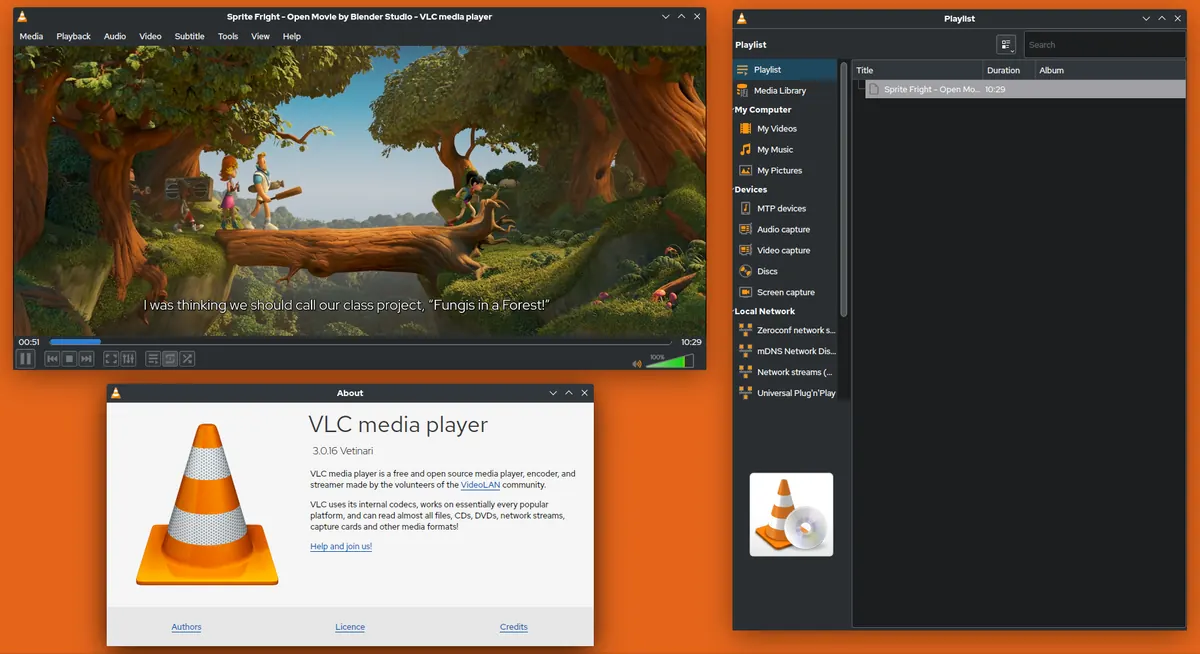
On a computer, VLC can open a playlist link through "Open Network Stream", which is a quick way to test it.
Why typo searches like in 3u iptv can be risky
Popular search terms attract websites that target misspellings. Some typo-targeted pages simply show adverts; others push downloads, fake "players" or lists of unauthorised channels. When a search contains a typo:
- Check that results are from sources you recognise.
- Avoid pages that insist you install software before showing anything.
- Do not enter personal or payment details on unfamiliar sites.
- Correct the search to "m3u iptv" and look again.
Common M3U problems
| Problem | Likely cause | Fix |
|---|---|---|
| Playlist will not load | Wrong or expired link | Check the link; confirm your account |
| No channel logos | Logo addresses missing | Cosmetic; ask your provider |
| Guide empty | No EPG link or mismatched IDs | Add the provider's EPG link |
| Very slow loading | Huge playlist on a slow device | Use a smaller playlist or hide groups |
Common mistakes
- Sharing a personal M3U link in forums or screenshots.
- Using lists that include paid channels for free.
- Pasting only part of a long link.
- Forgetting to add the guide link.
M3U on different devices
| Device | Where to enter the M3U link |
|---|---|
| Android TV / Fire TV | Playlist option in apps such as TiviMate or IPTV Smarters Pro |
| Samsung / LG TVs | In the app, or on the app's website using the TV's MAC address |
| iPhone / Apple TV | In App Store players that accept playlist URLs |
| Windows / Mac | VLC, Kodi or desktop IPTV players |
A worked example
Someone types "in 3u iptv" on a phone and lands on a page demanding a download. Recognising the typo, they search "m3u iptv" instead, read a guide to the format, and paste the M3U link from their provider's activation message into their TV player app, where the channels load normally.
Checklist
- Correct the search to "m3u iptv".
- Use M3U links only from trusted sources.
- Paste links exactly and add the EPG.
- Keep personal links private.
- Avoid typo-targeted download pages.
Key terms
- M3U / M3U8: playlist formats listing stream addresses.
- EPG: the programme guide linked to a playlist.
- Typosquatting: targeting misspelled searches or addresses.
Using M3U with Monster IPTV
Monster IPTV support can send your login as an M3U link or an Xtream-style login, depending on your player. See how it works and the supported devices page.
Other common typos for M3U
Besides in 3u iptv, people often type "n3u", "m3 u", "mu3" or "m3u8 iptv list". All of these usually refer to the same thing: playlist files used by IPTV players. If a search result seems odd, check the spelling and search again. Reputable guides and official app documentation will use "M3U" consistently.
Keeping your playlist organised
Once your M3U playlist is loaded, hide channel groups you never watch, mark favourites and set up the guide. A tidy list loads faster on small devices and makes daily viewing much more pleasant. Our IPTV playlist guide explains organisation in more detail.
Testing a playlist quickly
Before entering a long link on a TV remote, open it in VLC on a laptop or phone. If channels appear and a few play, the link and account work; if not, check the link before blaming your TV app.
Frequently asked questions
What does in 3u iptv mean?
It is almost certainly a typo of "m3u iptv", which refers to M3U playlists used by IPTV players.
What is an M3U playlist?
A text file listing channel names and stream addresses that an IPTV player can load.
Is it safe to download M3U files from websites?
Only from trusted sources. Lists of paid channels shared for free are risky and likely unauthorised.
Where do I put an M3U link?
In your IPTV player's playlist or M3U option, or on a smart TV app's website using the TV's MAC address.
Should I use M3U or Xtream Codes?
Xtream Codes usually gives a more complete experience if your player supports it; M3U works almost everywhere.
Summary
in 3u iptv is a mistyped "m3u iptv". M3U playlists are simple text lists that players use to load channels. Use links only from trusted sources, keep personal links private, add the guide and be wary of websites that target typo searches.