4K live IPTV means watching live channels and events, such as football, motor racing or concerts, in Ultra HD over the internet. It sounds like the same thing as streaming a 4K film, but it is much harder to do well. A film can be encoded slowly, checked and stored in advance. A live match must be compressed in real time, delivered within seconds and played without interruption while many other viewers do the same.
This guide explains why live 4K is demanding and how to prepare your home so you get the best possible picture. For the general requirements of Ultra HD streaming, see our 4K IPTV guide.
Live 4K versus 4K on demand
| Factor | 4K on demand | 4K live IPTV |
|---|---|---|
| Encoding | Slow, multi-pass, highly optimised | Real time, single pass |
| Bitrate efficiency | High | Lower, so more data is needed |
| Buffering headroom | Large buffers possible | Small buffers to keep delay low |
| Frame rate | Often 24 fps for films | 50 or 60 fps for sport |
| Error recovery | Retry before you watch | Must recover on the fly |
Because live encoders cannot take their time, they need more bitrate to reach the same quality. And because viewers want to see goals close to real time, players cannot build large safety buffers.
Frame rate: why sport needs more
Films are typically shot at 24 frames per second. Live sport is usually produced at 50 fps in many European regions and 60 fps in North America, so fast motion looks smooth. More frames per second means more data. A live 4K sports stream at 50 or 60 fps needs noticeably more bandwidth than a 4K film.
If your device plays a 50 fps stream at a different refresh rate, you may see judder. Turning on your device's match frame rate option, where available, helps.
HDR formats
Many live 4K events use high dynamic range (HDR) for brighter highlights and richer colour. Broadcasters commonly use HLG (Hybrid Log-Gamma) for live HDR because it works with both HDR and standard displays. Films more often use HDR10 or Dolby Vision. Check that your TV and streaming device support HLG if you want HDR on live broadcasts.
Bandwidth for live 4K
Live 4K streams need a fast, stable connection. Exact figures vary by service and codec, but many services recommend at least 25 Mbps for 4K. For live sport, headroom matters even more:
- Aim for a connection comfortably above the service's recommendation.
- Avoid other heavy use, such as large downloads or cloud backups, during big events.
- Remember that other people streaming at home share the same connection.
Wired beats wireless for live 4K
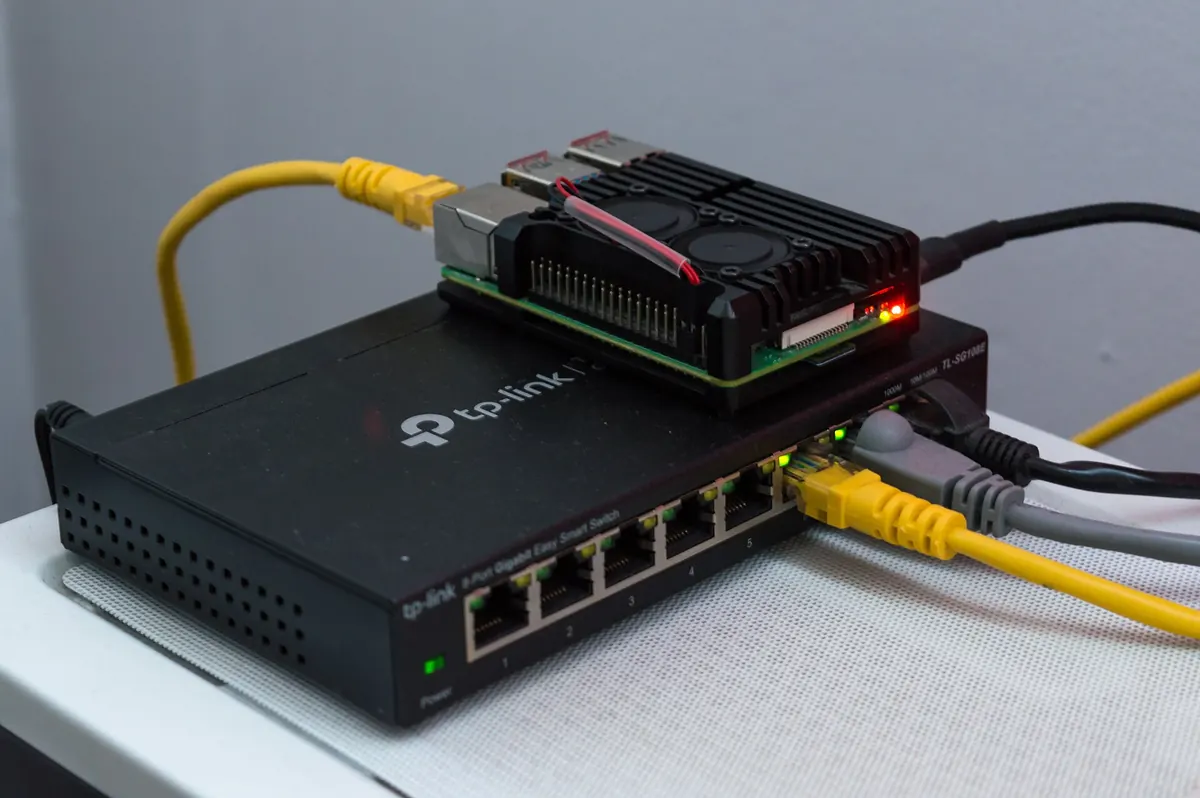
Wi-Fi speed tests can look fine while live 4K still stutters, because brief drops matter more when buffers are small. A wired Ethernet connection is the most effective improvement. Some streaming sticks need an Ethernet adapter. If cabling is impossible, use a modern mesh system with a node near the TV, or powerline adapters as a fallback.
Device and app requirements
- A 4K TV with HDMI 2.0 or later, plus HDCP 2.2 support for protected content.
- A streaming device that decodes HEVC, and AV1 where services use it.
- An app that supports 4K playback on your device.
- The right HDMI port: some TVs support full 4K HDR only on certain ports.
- A high-speed HDMI cable rated for 4K.
Delay behind live
Live internet streams usually run behind traditional broadcast. Real-time encoding, segmenting and buffering add delay, and 4K can add slightly more. If neighbours cheer before you see a goal, that is expected. Low-latency formats reduce the gap, but some delay is normal.
How to check you really have 4K
- Use the app's stream information overlay, if available, to see resolution and bitrate.
- Check your TV's info banner for the input resolution and HDR format.
- Compare a known 4K channel with an HD channel on the same screen.
Our guide to checking IPTV 4K claims explains this step by step.
Common problems with live 4K
| Problem | Likely cause | What to try |
|---|---|---|
| Stutters during fast play | Wi-Fi drops or weak device | Use Ethernet; check device decoding |
| Drops to HD mid-match | Bandwidth fluctuation | Reduce other use; wire the device |
| Judder on pans | Frame-rate mismatch | Enable match frame rate |
| No HDR | TV or device lacks HLG support | Check settings and HDMI port |
| Large delay | Buffering and segmenting | Expected; try low-latency options if offered |
Preparing for a big live event
A little preparation the day before a major match or concert pays off. Restart your router and streaming device, install any pending app and system updates so they do not start during the event, and run a short test on the channel you plan to watch. Ask others in the home to pause large downloads and game updates during the event. If you have more than one streaming device, keep the best one, ideally wired, for the main TV.
A worked example
A viewer's live 4K football stream stutters during fast play on a streaming stick using Wi-Fi. They add an Ethernet adapter, enable match frame rate and move the stick to the TV's HDMI port that supports 4K HDR. The next match plays smoothly in 4K with HLG, though still a few seconds behind broadcast.
Checklist
- Confirm 4K and HLG support on TV and device.
- Use a wired connection.
- Leave bandwidth headroom during events.
- Enable match frame rate.
- Check stream information to confirm 4K.
Key terms
- HLG: an HDR format widely used for live broadcasts.
- Frame rate: pictures per second, typically 50 or 60 for sport.
- Match frame rate: a device setting that switches the display to the content's frame rate.
- HDCP 2.2: copy protection required for much 4K content.
Monster IPTV and live 4K
Monster IPTV does not guarantee that specific events are available in 4K. If live 4K matters to you, ask support before ordering and use the free trial to test on your own TV and connection. See the pricing page.
Frequently asked questions
Why is 4K live IPTV harder than 4K films?
Live streams are encoded in real time with small buffers, so they need more bitrate and a more stable connection.
What internet speed do I need for live 4K?
Many services recommend at least 25 Mbps; leave extra headroom for live sport.
Why does my live 4K stream drop to HD?
Usually because available bandwidth fell; a wired connection and less competing use help.
What HDR format do live broadcasts use?
Often HLG, so check that your TV and device support it.
Why is my live 4K stream behind broadcast?
Encoding, segmenting and buffering add delay. Some delay is normal.
Summary
4K live IPTV is more demanding than 4K on demand because of real-time encoding, high frame rates, HDR and small buffers. Prepare with a wired connection, bandwidth headroom, HLG-capable equipment and match frame rate, and check stream information to confirm you are really watching in 4K.